Features

One card. One schedule. Every way you study.

Flip, fold, peek, listen, type, or hand the phone to a friend: they are presentations of the same scheduled review, and every one of them ends in a rating the scheduler can use. Items marked at launch are being built and are not in the current test build.

On iPhone Duo

Apple's rule for folding phones is ours too: every pose adds something, no pose is required. Each moment below has a tap, a button and a single-screen equivalent.

Open to Reveal

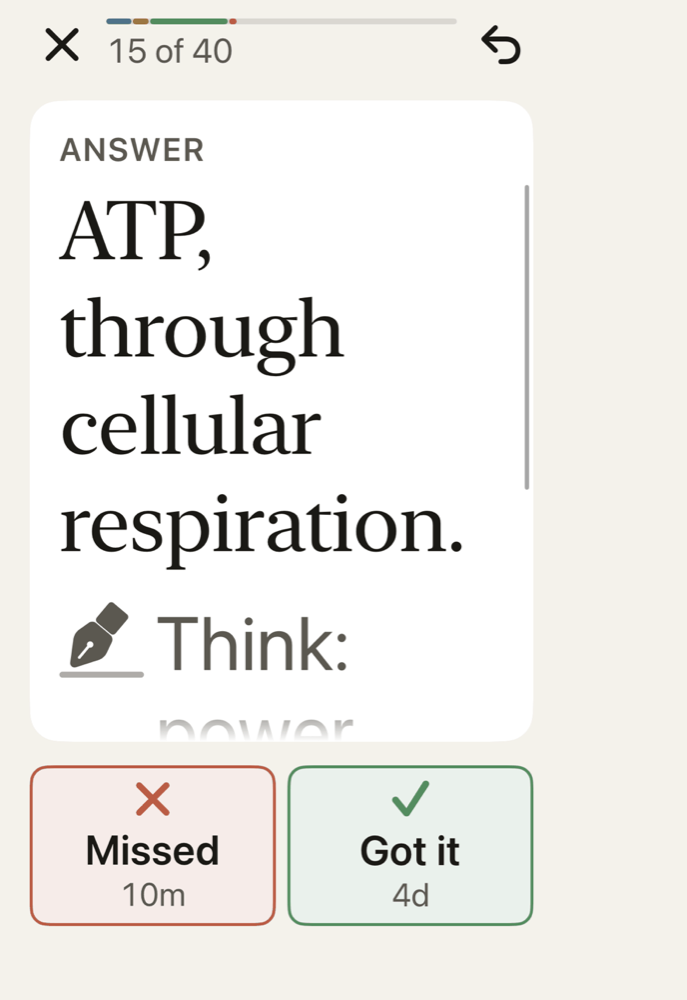
The question on the closed outer display. Open the phone and the answer page lands from the hinge onto the right half, with the question on the left and the grading buttons under each thumb. Rate, close, next. It is on by default on Duo, and it never grades for you: an unrated card stays revealed when you close the phone.

A left-hand setting mirrors the grading buttons so Got it sits under the left thumb.

The answer page lifting from the hinge on an open iPhone Duo, the question settled on the left page.

Peek, in every direction

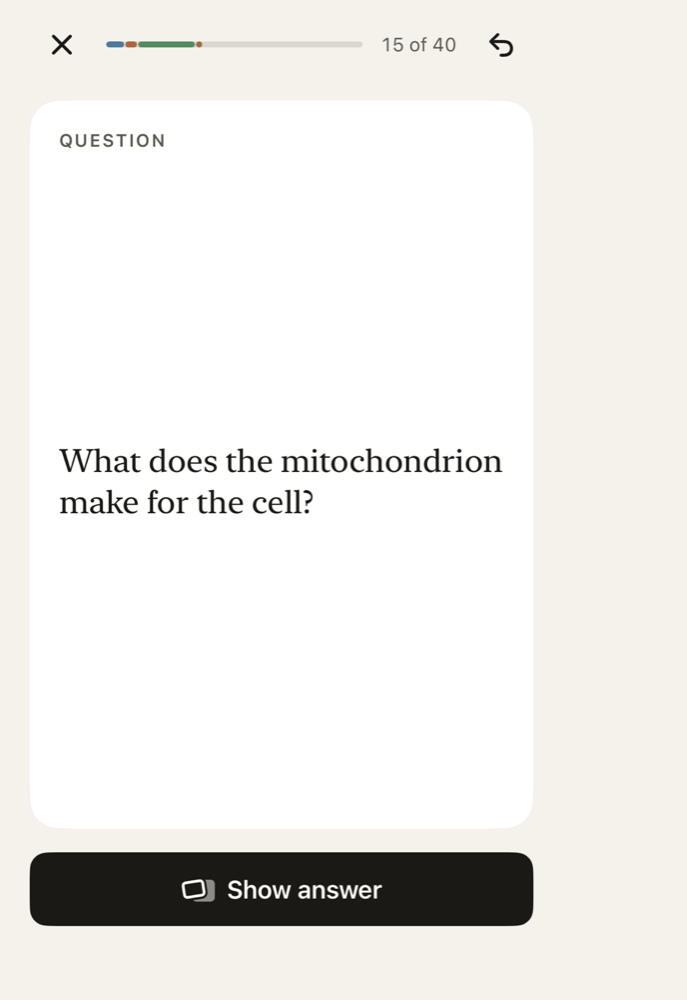
Drag toward the answer to glance at it, and let go to put it back. Drag further, or flick, and it is revealed with the rating buttons. On the open Duo the drag goes toward the hinge, like lifting a page; in laptop posture the cover slides down toward you; on a single screen the card turns under your finger. A long press glances; tap or the space bar reveals; a Hide answer button steps back.

A question card on a single-screen iPhone before reveal, with a Show answer button.

Table Mode at launch

Open the phone flat between two people. Each half turns to face its person: the question toward you, the answer, Hint, Missed and Got it toward your friend. Both halves take touch at once. Your friend grades; the grade becomes your rating, and you can undo it. Close the phone and the session continues solo on the outer display.

Placeholder for the Table Mode render. Shown meanwhile: Today on the open iPhone Duo.
Render pending.

Two phones at launch

Your friend installs the free app, you bring the phones together, and theirs becomes the quiz controller: answer, hint, grade, skip, read aloud. Only the current card travels between the phones, over a direct, authenticated local connection. Nothing of yours is stored on their phone afterwards.

Works on every iPhone at both ends. No Duo required.

Pass the phone at launch

One phone, any iPhone. Hand it over; your friend sees the question and lifts a cover to see the answer, reads the question aloud, and grades. It is the quiz every student already does with paper, with a schedule behind it.

Laptop posture

Half open on a desk, the question sits on the raised half in large type. Once revealed, the answer and the rating bar sit just under the fold, and the explanation under them, so your hands never leave the lower half.

Laptop posture: question and answer on the far half, grading and explanation on the near half.

Making cards

The fastest card is one you did not have to type.

Photo or camera

Text is recognised on your phone, and longer passages use cloud AI. Short passages will also become question-and-answer cards on your phone, with Apple Intelligence. on-device at launch

PDF and slides Pro

Chapters and lecture decks become cards with page references. In laptop posture the page is on the far half and the cards land on the near half. Marking each card with the sentence it came from is next. marks at launch

Paste or dictate voice at launch

Paste a paragraph and get cards, or cloze suggestions you accept with a tap. Speak a snippet and it is transcribed on your phone first. voice at launch

Cards as they stream at launch

Cards appear one at a time, as small index cards you keep or skip. If the connection drops, the cards you already have stay.

Cloze and image occlusion

Hide a word in a sentence, or mask a region of a diagram. Basic occlusion is free; unlimited regions are part of Pro, and so will be a quality check on AI batches. free tier and quality check at launch

Anki import, with history

Bring in .apkg and .colpkg files, including the newest compressed format. Review history, media and sub-decks come along, and re-importing updates instead of duplicating.

Switching from Anki

Cloud results can be wrong; they stay editable, and the source stays a tap away. Every AI result will carry a label: On-device, Cloud, or Note when a person wrote it. labels at launch

Scheduling

  • FSRS-6. The open-source scheduler modern Anki uses, running on your phone, checked against the reference implementation.
  • Two buttons by default. Missed and Got it. Hard and Easy by swipe, or turn on detailed grading. Keys 1 to 4 keep their Anki meanings.
  • Courses, not just decks. A course has a name, a colour, sections, and an exam date. The exam countdown sits on Today.
  • Exam-aware retention. As an exam approaches, the target retention for that course steps up, so cards come back sooner when it counts.
  • Why now. Tap an interval and read the model's own reasoning. at launch
  • Your parameters. The optimiser fits the scheduler to your memory after a few hundred reviews, on-device. at launch
  • Explain inline. Miss a card and an explanation appears beside it, from your note, from on-device AI, or from cloud AI with a mnemonic and a Make simpler cards split. Never a sheet. at launch
  • No lockouts. Sessions survive calls, folds and relaunches. A soft stopping point after your daily goal, with keep going one tap away, is next. stopping point at launch
The Today screen: 63 cards due today, 8 new, a Start button, a 12-day streak drawn as a highlighter band, a next-exam card reading Exam today, and a course row for Organic Chemistry II with 48 due and Exam tomorrow.
Today: what is due, what is coming, and the next exam.

Everywhere you are

Listen mode at launch

Cards read aloud with AirPods in, a voice per card language, and hands-free rating by tap. Eyes on the road.

Widgets

Due count, streak and exam countdown on the Home Screen and Lock Screen. StandBy on either Duo display. StandBy at launch

Live Activity at launch

An active session on the Lock Screen: cards left, streak, tap to resume.

Siri and Shortcuts at launch

"Quiz me on Bio 101." "How many cards are due?" Courses and cards as Shortcuts entities.

Spotlight

Search a card from the Home Screen and open it where it lives.

iCloud sync

Your cards, media and review history on every device signed in to your Apple Account. Local first; the phone is the source of truth.

Accessibility and trust

  • VoiceOver, start to finish. Every control is labelled; a rotor switches card side; the Show answer button is always there.
  • Dynamic Type to AX5. Card text grows and scrolls; it never truncates and never breaks a word.
  • Reduce Motion, Increase Contrast, Bold Text. A crossfade for every animation, stronger ink for every secondary label.
  • Charts you can hear. Each chart has a text summary and an Audio Graph.
  • Light and dark, designed together. Warm paper by day, warm black by night; every pair passes WCAG AA.
  • No tracking. No third-party analytics, no ad identifiers, nothing sold. Privacy policy.
  • Eight languages. English first; Spanish, French, German, Portuguese, Japanese, Korean and Simplified Chinese. at launch
The study screen at the largest accessibility text size, with card text scrolling and the grading buttons stacked.

Free to study, forever.

See what is free and what Pro adds.